HEIC to JPG Converter
Converts Apple HEIC and HEIF photos in your browser

Trending Searches
Free Tools
Most Popular Guides
Free online tools
Search, then open a tool. File tools run in your browser.
Browser-based tools · No watermarks · Files stay on your device
Converts Apple HEIC and HEIF photos in your browser
Arrange photos, choose page settings, and create a compact PDF in your browser
Replaces Paid Acrobat/Smallpdf · Unlimited Files & Pages Locally
No Watermark · Processes Locally on Your Device (Zero Server Upload)
No upload · Smaller files or remove a password you already know
Trace high-contrast artwork locally · Photographs often vectorize poorly
Extract transaction tables in your browser · Review before export
Black boxes are burned into new page images · Original file stays on disk
Remove hidden GPS data · Add a watermark on ID photos
ATS-safe one-column PDF · Upload a CV for a local score · Keyword match
Supports Multi-Currency & Tax · Instant Clean PDF Download
Add Your Logo Inside QR · High-Res PNG & Vector SVG Download
Live Crack-Time Calculator · Zero Network Transmission
Supports English & Arabic · Live SEO Keyword Density & Social Limits
Instant Error Pinpointing · Safe for API Payloads & Configs
Multi-Currency (USD, SAR, AED, EGP, EUR) · Instant CSV Export
Calculate Exact Invoice Amount to Receive 100% Net Pay
USD, SAR, AED, EGP, and more

Paying off debt starts with a clear list. The debt snowball method prioritizes the smallest balance; the debt avalanche method prioritizes the highest interest rate. Both keep minimum payments going while extra money goes to one target debt.
By Mo YF · 11 min read

The best way to learn how to choose an online course is to start with a specific outcome, inspect the syllabus, check the instructor's evidence of experience, and compare the real time and money required. A course is a good fit when its teaching style, practice, support, and cost match your goal—not simply because its advertisement sounds convincing.
By Mo YF · 12 min read

To convert images to PDF, choose the photos, put them in the right order, select suitable page settings, and export them as one document. You can do this with built-in phone or computer features, or use our free Image to PDF Converter in your browser when you want to arrange photos and create a compact PDF.
By Mo YF · 11 min read

VAR is a video-review system that helps the on-field referee check a small group of important match decisions. It does not referee the whole game or correct every possible mistake. Understanding what it can review, who makes the final decision, and when the system can intervene makes the process much easier to follow.
By Mo YF · 9 min read

Mobile gaming for beginners is easiest when you choose a game that fits your interests, device, available time, and spending limit. Start with a simple title from an official store, check its age rating and permissions, understand its purchase model, and adjust notifications and settings before you play.
By Mo YF · 13 min read

Travel insurance is a policy designed to help with certain unexpected costs connected with a trip, such as eligible medical treatment, cancellation, baggage problems, or travel delays. It does not cover every problem or every expense. To choose sensibly, compare the exact covered events, exclusions, limits, deductibles, and claim rules against the risks and non-refundable costs of your own trip.
By Mo YF · 11 min read
 7
7Practical guides for software, AI tools, apps, and everyday computing — written for readers in the US, UK, GCC, and Egypt.
 5
5Account security, VPNs, browser privacy, and safer online habits — explained in plain language so you can choose settings with less guesswork.
 6
6How useful websites and browser utilities work, when to use them, and what to watch for — distinct from the free tools on this site.
 6
6Practical game guides, mobile tips, and setup how-tos for PC and phone players who want clear answers, not hype.
 6
6Practical guides to online courses, learning platforms, language study, and skills you can use at work or school.
 6
6Practical travel guides covering packing, planning, apps, and trip preparation — for short trips and longer journeys.
 6
6Straightforward money guides on budgeting, banking, and everyday financial decisions. Informational only — not financial advice.
 6
6Fan guides, rules explainers, and practical sports apps — useful context for following teams and events.
 5
5Anime explainers, legal streaming guides, and digital entertainment — recommendations you can actually use.
To convert images to PDF, choose the photos, put them in the right order, select suitable page settings, and export them as one document. You can do this with built-in phone or computer features, or use our free Image to PDF Converter in your browser when you want to arrange photos and create a compact PDF.
By Mo YF · 11 min read

AI tools are software features that use artificial intelligence to help with tasks such as drafting, explaining, translating, summarising, organising, or creating media. For beginners, the safest way to start is to choose one small task, give clear instructions, review the result, and avoid sharing private information. They can save effort, but they can also make mistakes.
By Mo YF · 10 min read

The best free PDF tools online let you merge, split, compress, convert, or sign documents directly in your browser without paying for a full desktop suite. Before uploading a file, compare each tool's free usage limits, file-size caps, and privacy handling.
By Mo YF · 3 min read

A VPN (Virtual Private Network) encrypts traffic between your device and a remote VPN server and masks your home or mobile IP address from destination websites. It is a practical tool for untrusted public Wi-Fi, reducing local ISP visibility, and remote work access—but it does not make you completely anonymous or stop phishing, malware, or cookie tracking.
By Mo YF · 4 min read

A password manager is an encrypted digital vault that generates, stores, and autofills unique passwords for every account you own. Paired with a long master passphrase and two-factor authentication (2FA), it is one of the simplest ways to stop password reuse without memorizing dozens of complex strings.
By Mo YF · 5 min read
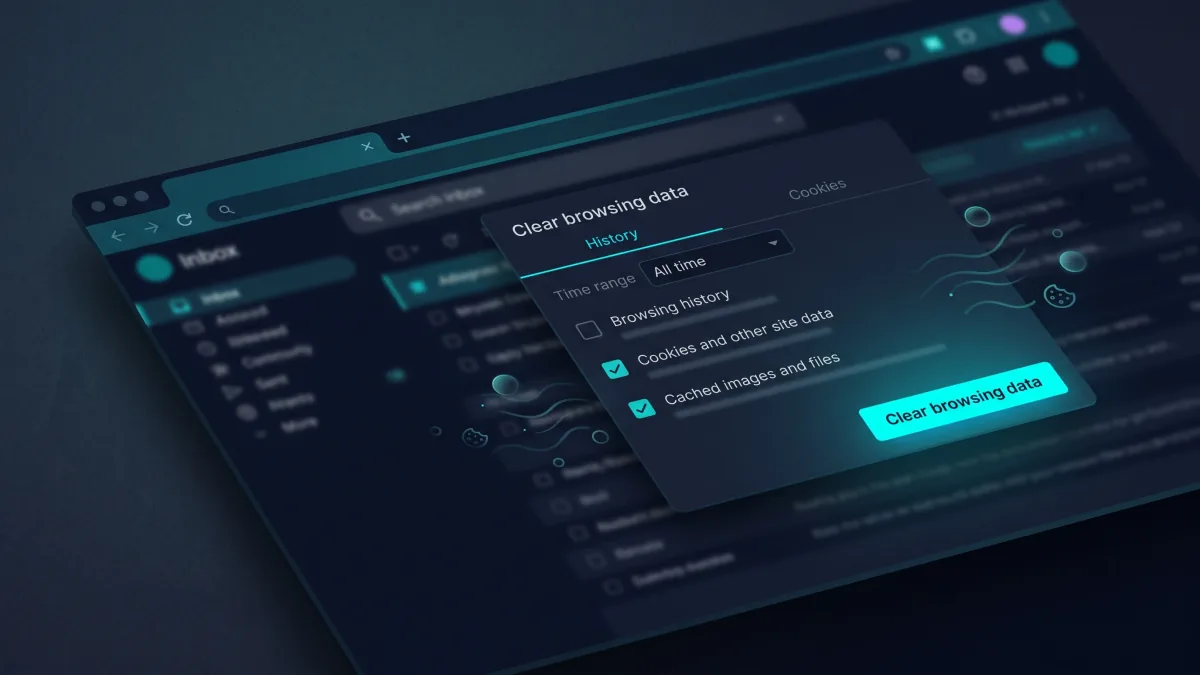
Clearing cache or cookies can fix many website display and sign-in problems without deleting everything. Start with the least disruptive option and review what is selected before confirming.
By Mo YF · 9 min read

If you want to launch a fast WordPress blog, business website, or online store in 2026 without paying $20+/month or wrestling with complicated server panels, Hostinger remains the strongest value-for-money web host on the market. Starting at $2.99/month (up to 79% off on long-term plans), it bundles a free domain name for the first year, LiteSpeed web servers, NVMe SSD storage, free SSL, and built-in AI website creation tools.
By Mo YF · 2 min read

The best free online calendar is the one that sends dependable notifications on the devices you already carry and takes seconds to update. For most people, starting with the calendar built into their phone ecosystem or a cross-platform web calendar—then creating one real recurring reminder and testing the alert—beats installing complex scheduling software.
By Mo YF · 4 min read

The fastest way to compress images online without making them look blurry is to resize pixel dimensions first, pick the right file format (JPG, PNG, or WebP), and apply a single moderate compression pass. Before uploading private photos or IDs, always check whether the compressor processes files locally in your browser or uploads them to a remote server.
By Mo YF · 3 min read
Mobile gaming for beginners is easiest when you choose a game that fits your interests, device, available time, and spending limit. Start with a simple title from an official store, check its age rating and permissions, understand its purchase model, and adjust notifications and settings before you play.
By Mo YF · 13 min read

Cloud gaming runs demanding PC and console titles on a remote data-center server and streams the live video and audio to your phone, tablet, laptop, or TV while sending your controller inputs back in real time. Instead of needing an expensive graphics card or 100 GB of free storage, your experience depends on low ping, zero packet loss, and a stable wired or 5 GHz Wi-Fi connection.
By Mo YF · 2 min read

Modern mobile games often require 10 GB to 30 GB of storage—plus extra temporary space to unpack season updates. By deleting unused in-game resource packs (like old maps, voice languages, and HD textures), offloading idle apps after verifying cloud saves, and clearing forgotten screen recordings, you can reclaim several gigabytes in minutes without losing your game progress.
By Mo YF · 3 min read
The best way to learn how to choose an online course is to start with a specific outcome, inspect the syllabus, check the instructor's evidence of experience, and compare the real time and money required. A course is a good fit when its teaching style, practice, support, and cost match your goal—not simply because its advertisement sounds convincing.
By Mo YF · 12 min read

Duolingo is one of the easiest ways to build a daily language habit and learn beginner vocabulary for free, but tapping word tiles alone will not make you fluent in real conversations. By matching your primary app to your real goal—and pairing 10 minutes of app exercises with 10 minutes of speaking aloud or listening to native clips—you can progress much faster without paying for multiple subscriptions.
By Mo YF · 3 min read

The best online course is not the one with the loudest countdown timer or the flashiest landing page—it is the one whose syllabus, hands-on projects, and weekly workload match the exact skill you want to build. By defining your target outcome first and evaluating any course against a 10-point scorecard before entering payment details, you can avoid dusty unfinished courses and learn skills you can actually demonstrate.
By Mo YF · 3 min read
Travel insurance is a policy designed to help with certain unexpected costs connected with a trip, such as eligible medical treatment, cancellation, baggage problems, or travel delays. It does not cover every problem or every expense. To choose sensibly, compare the exact covered events, exclusions, limits, deductibles, and claim rules against the risks and non-refundable costs of your own trip.
By Mo YF · 11 min read

The best travel apps for navigation and translation only save you when they are configured before you leave home Wi-Fi. By installing one primary map app, one true offline map backup, and one translation app with downloaded language packs—and testing all three in Airplane Mode—you can navigate unfamiliar streets, subway systems, and restaurant menus even with zero mobile signal.
By Mo YF · 4 min read

Carry-on liquids rules determine which drinks, toiletries, gels, pastes, and aerosols can pass through airport security in your cabin bag. While the standard 100 ml (3.4 oz) container limit inside a single 1-liter transparent resealable bag remains the safest baseline worldwide, scanner upgrades mean rules can differ between your departure, transfer, and return airports—so packing to the strictest checkpoint on your itinerary prevents surprises at security.
By Mo YF · 3 min read
Paying off debt starts with a clear list. The debt snowball method prioritizes the smallest balance; the debt avalanche method prioritizes the highest interest rate. Both keep minimum payments going while extra money goes to one target debt.
By Mo YF · 11 min read

The core difference between a checking (or current) account and a savings account is purpose: a checking account is built for frequent daily transactions—receiving your salary, paying bills, and using a debit card—while a savings account is built to hold money safely aside for emergencies and future goals, often earning interest. Because fees, withdrawal rules, and deposit protection vary by bank and country, comparing the full account schedule before opening either account keeps more of your money working for you.
By Mo YF · 3 min read

When paying off multiple debts, both the Debt Snowball and Debt Avalanche methods require paying the mandatory minimum on every account first—they only differ in where you send your extra payment. Debt Snowball targets the smallest balance first to give you quick psychological wins, while Debt Avalanche targets the highest interest rate (APR) first to minimize total interest paid.
By Mo YF · 2 min read
VAR is a video-review system that helps the on-field referee check a small group of important match decisions. It does not referee the whole game or correct every possible mistake. Understanding what it can review, who makes the final decision, and when the system can intervene makes the process much easier to follow.
By Mo YF · 9 min read

You do not need dumbbells, machines, or exhausting high-impact jumps to build strength and consistency at home. By starting with six to ten controlled bodyweight movements—such as chair squats, wall or incline push-ups, glute bridges, and knee planks—for 20 minutes across three non-consecutive days a week, you can learn proper form first and progress safely over four weeks.
By Mo YF · 3 min read

Football positions divide an 11-player team into four clear lines: the goalkeeper protects the goal, defenders stop opposition attacks, midfielders connect defense to attack, and forwards create or finish scoring chances. Once you know the 10 common broadcast abbreviations and how formations like 4-3-3 or 4-2-3-1 arrange them on the pitch, you can read any match lineup in seconds.
By Mo YF · 3 min read

Starting with a standalone anime movie gives you a complete, theater-quality story in two hours without committing to a 100-episode series. By picking a film that matches your current mood—whether cozy family fantasy, emotional coming-of-age drama, or fast-paced sci-fi adventure—and checking local age guidance first, you can enjoy your first anime film tonight with zero prior lore required.
By Mo YF · 2 min read

The anime "sub vs. dub" choice comes down to how you want to experience a story in a specific moment: "sub" preserves the original Japanese voice performance with translated on-screen subtitles, while "dub" replaces the audio track with a localized voice performance in your language. Instead of picking one side forever, matching your audio setting to the show's pace, your energy level, and your viewing setup gives you the best experience every time.
By Mo YF · 2 min read

Legal anime streaming comes in three reliable formats: dedicated anime subscriptions, general entertainment platforms that license major anime series and films, and free ad-supported or official distributor channels. Because no single service holds global rights to every show in every country, checking your exact title and language tracks inside the official app before subscribing saves money and protects your devices from unsafe pirate sites.
By Mo YF · 2 min read